Over-committing Co-efficients
This feature is available solely on DaDesktop Private Server (DDPS) and DaDesktop On-Premise (DDOP).
Given the growing complexity and processing demands of courses—especially with nested virtualisation or the need for higher performance across a larger number of trainee desktops—you may occasionally run into an error like the one below :-

This warning appears for CPU, memory, or disk space issues. Your first step should be to shift the affected machine(s) to a server or data centre that isn't as heavily loaded, or to trim resource requirements where feasible.
If neither approach is possible, a straightforward fix when your running units only slightly exceed the usual maximum is to temporarily enable 'over-committing' for the CPU, memory, or disk coefficients. You can do this through the GUI, as shown below.
Navigate to /da/admin/servers/all, click the Edit button for your server, and then scroll down to this section.
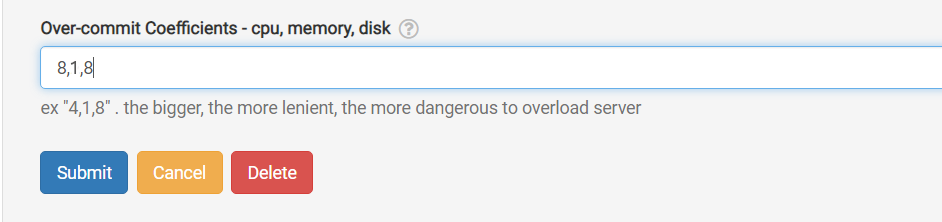
Additionally, the server list indicates any servers currently using over-committed coefficients. This comes in handy when you need to revert the settings after a course ends, allowing you to reset the coefficients to their default values.
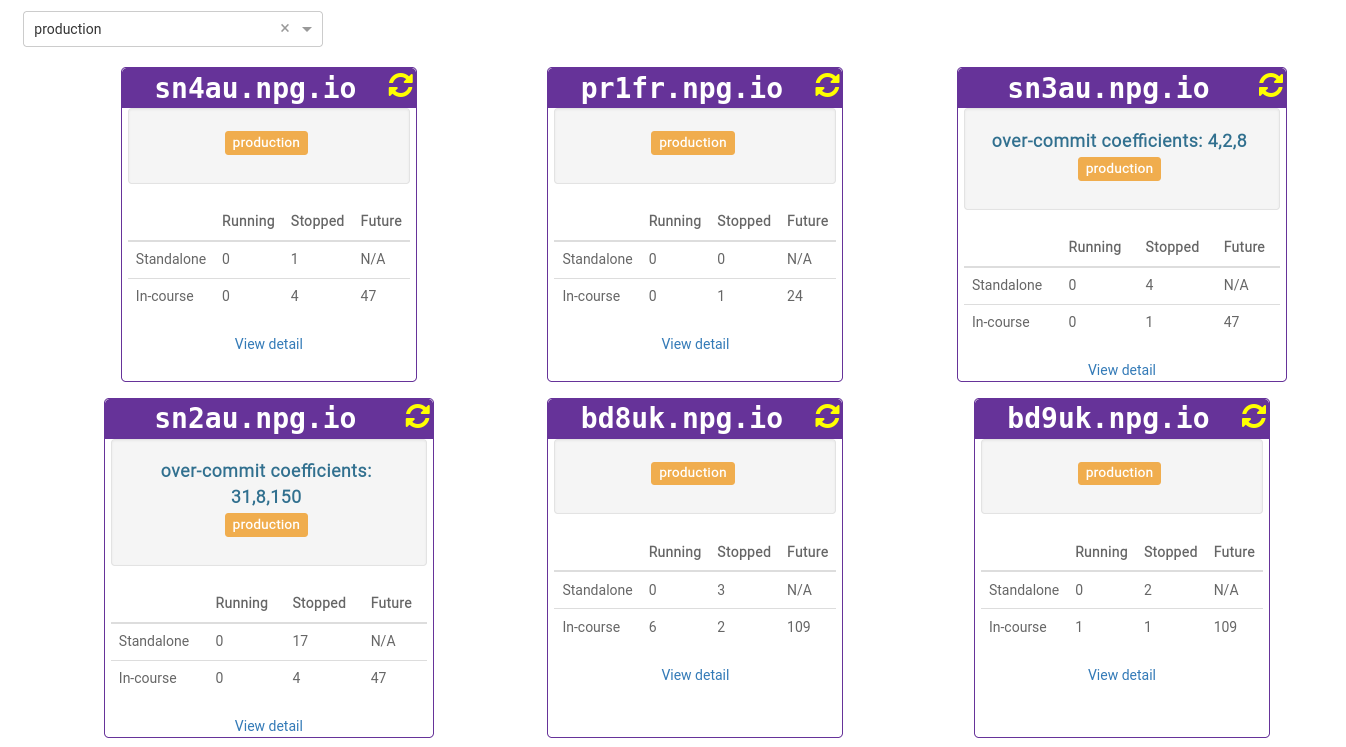
Any adjustments you make are meant to be a temporary fix, not a lasting solution for insufficient resources. You should revert any changes that enabled a course to proceed once the course has finished.
DaDesktop On-premise Requirements
The over-committing feature relies on tpapi which is part of DaDesktop codebase. Tpapi is currently only compatible with Python 3.12, so the corresponding operating system requires a minimum of Ubuntu 23.10.