Transferring files from your computer into DaDesktop
Many users have asked for a way to move files from their own laptop or desktop straight into the DaDesktop machine. These might be slide decks, installer ISOs for a nested virtualisation setup that lets you run several servers and desktops, or simply everyday documents needed for a training session.
We've now added a simple drag-and-drop transfer feature to our latest Windows 10 and most Linux templates. Just grab files from your personal machine and drop them right into DaDesktop.
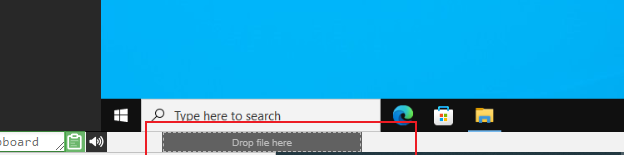
For the moment, the transfer works one file at a time. If you need to send over a batch, zip them up first, then drag the archive across. Behind the scenes, the tool splits large files into chunks to keep things speedy—and it really shines on a fast fibre connection. Any folder structure you had inside the zip stays exactly as it was.
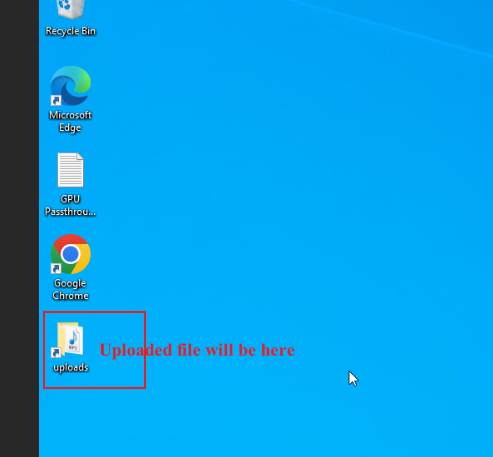
On Linux templates, there isn't yet a desktop shortcut like the one on Windows. Instead, you'll find your transferred files at:
/home/student/uploads-to-dadesktop
Here's a quick recap:
Templates that currently support this feature
- Debian 12 (v20240314 and later)
- Ubuntu 22.04 (v20240314 and later)
- Ubuntu 24.04 (v20240314 and later)
- Windows 10 (v67 and later)
Templates that don't yet support this feature
- Debian 11
- Almalinux
- Kali-linux
- Any older template versions
More goodies will roll out to this early-access feature very soon. If you have any thoughts or questions, get in touch via the DaDesktop Technical support chat.