Creating from a Standalone Desktop
-
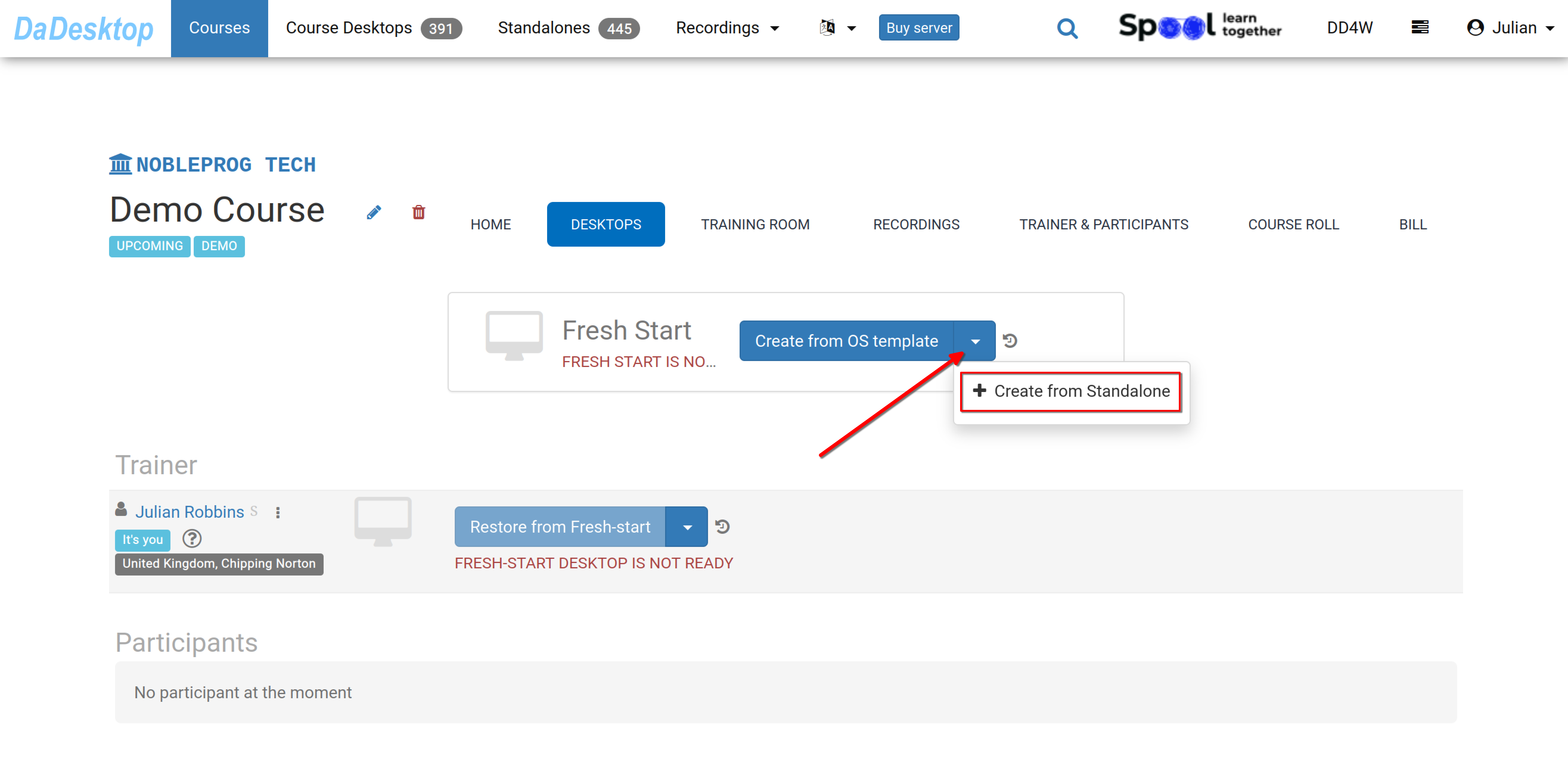
Navigate to the course you've created – a Demo course is shown below for reference. Then, open the Desktops tab, click the drop-down arrow, and select "Create from Standalone" to set up your Fresh Start.
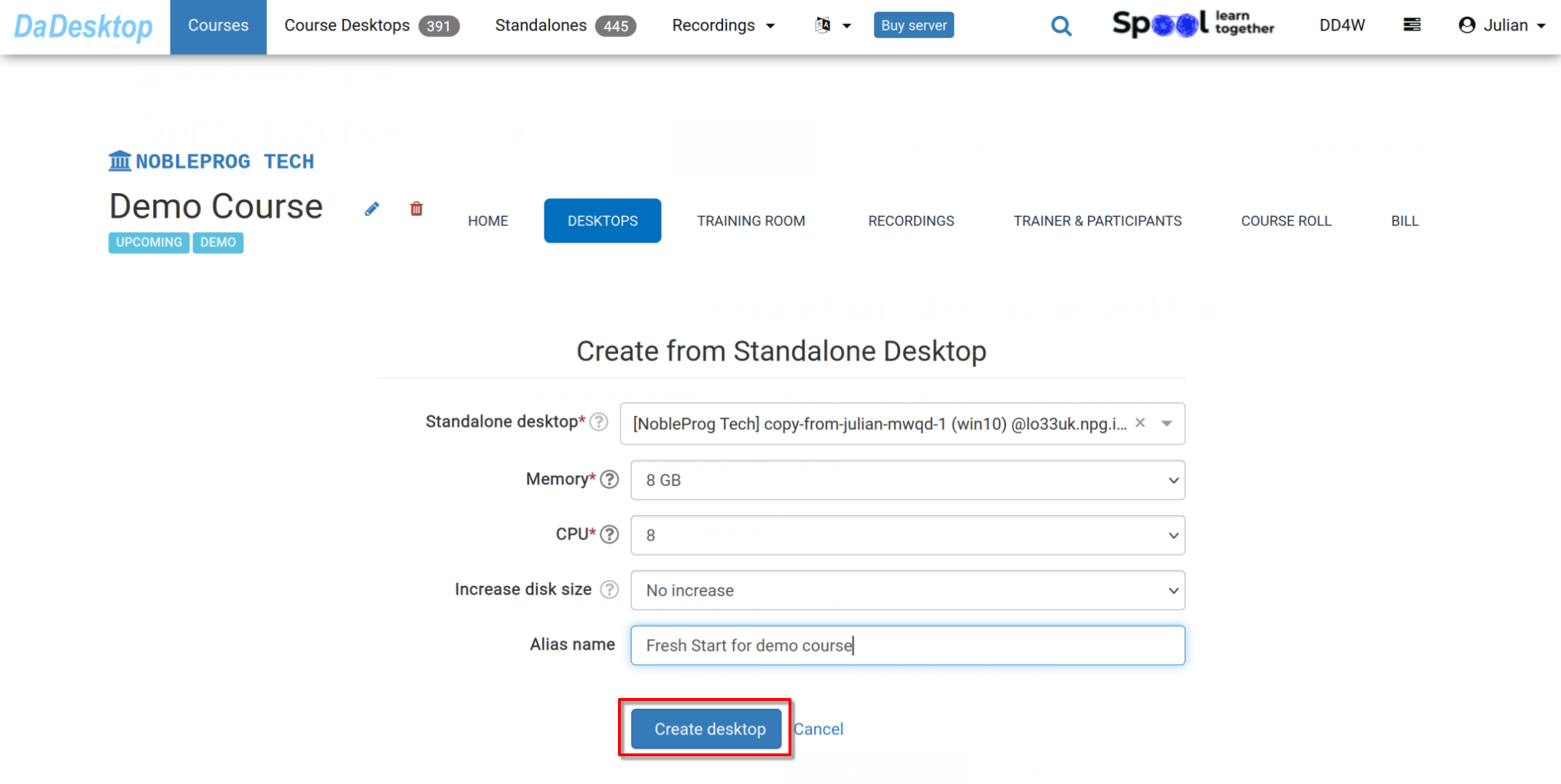
- Pick the "Standalone desktop" you've previously prepared for the course environment (including software, course materials, quizzes, etc.)
-
If needed, you can adjust the Memory, CPU, and expand the disk size during this step. Click "Create desktop".
-
Your Fresh Start is now ready. Both Trainer and Participants can clone desktops from it in Greece.
The Fresh Start acts as a master desktop within the course, allowing cloning to all participants and the trainer in a single operation. Anyone in the course can restore from the Fresh Start if necessary.
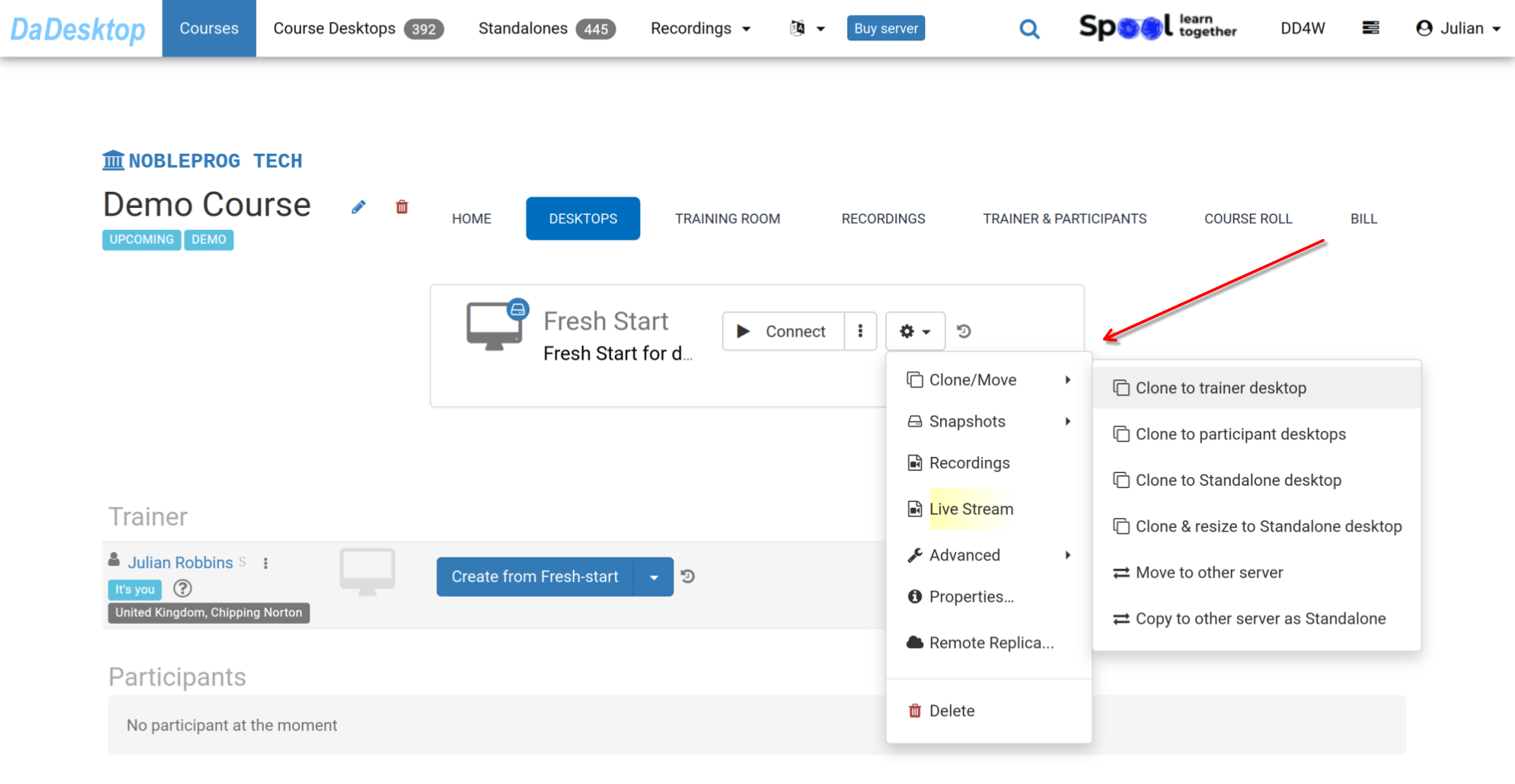
Through the 'Cog' menu, you'll find many other options: clone your Fresh Start to a Trainer, Participant, or Standalone machine; clone and resize the machine to a Standalone; move the Fresh Start to another server; create Snapshots; check Recordings; or set up a Remote Replica.Please consult the relevant documentation for each of these features as appropriate.