Course VPN
The Course VPN (CVPN) function empowers workstations to establish direct peer-to-peer connections.
Enabled by default, Course VPN facilitates seamless communication among any desktops within a specific course, irrespective of their server or data centre location.
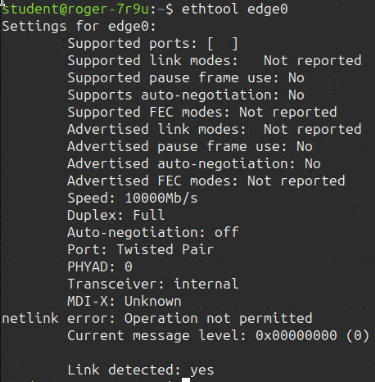
Terminal views of the CVPN interface are provided below for reference.
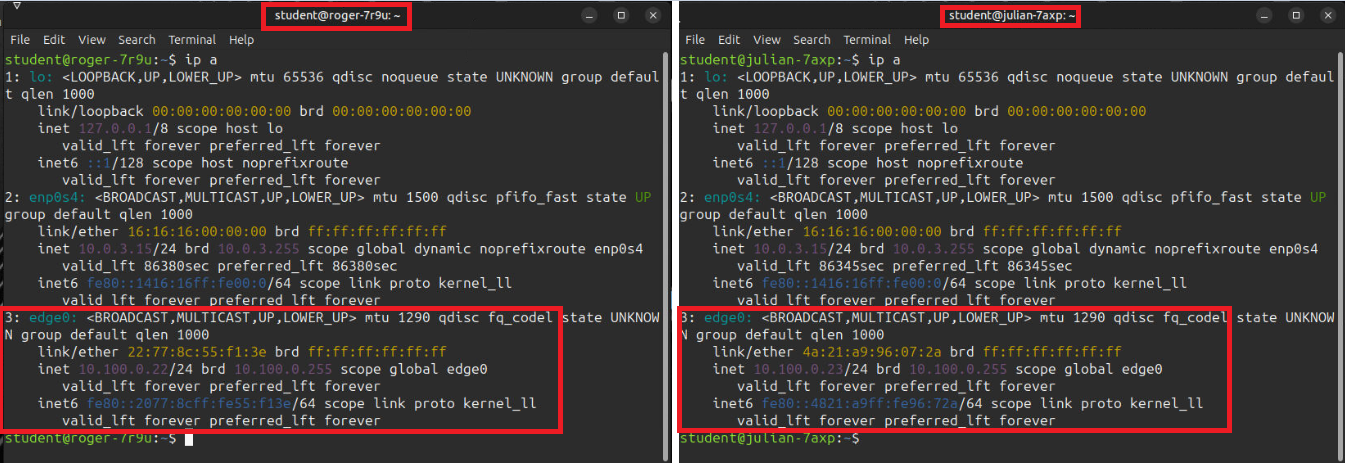
Terminal IPs:
The following screenshots illustrate the VPN network interface generated when training workstations are provisioned. In the example, two student terminal sessions display the `edge0` interface, representing the course VPN. Each machine is assigned a distinct and unique address, enabling direct communication between the two systems.
Additional Properties: