My Account
Every user can adjust several settings within their account.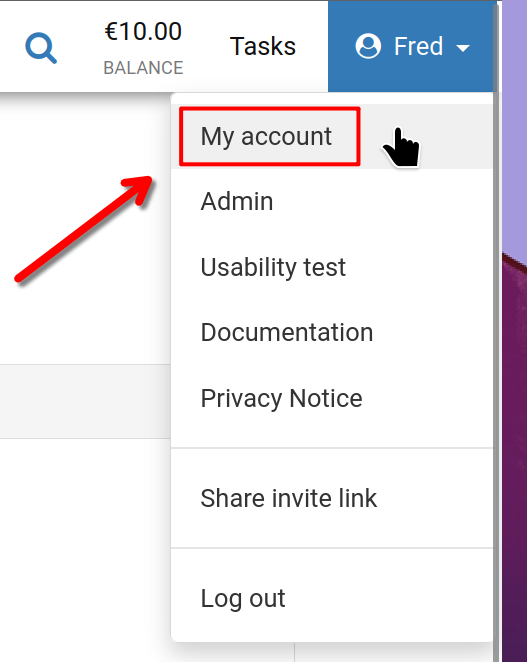
Start by clicking on your username in the top-right corner of the screen, and then select 'My account' as illustrated.
My Account
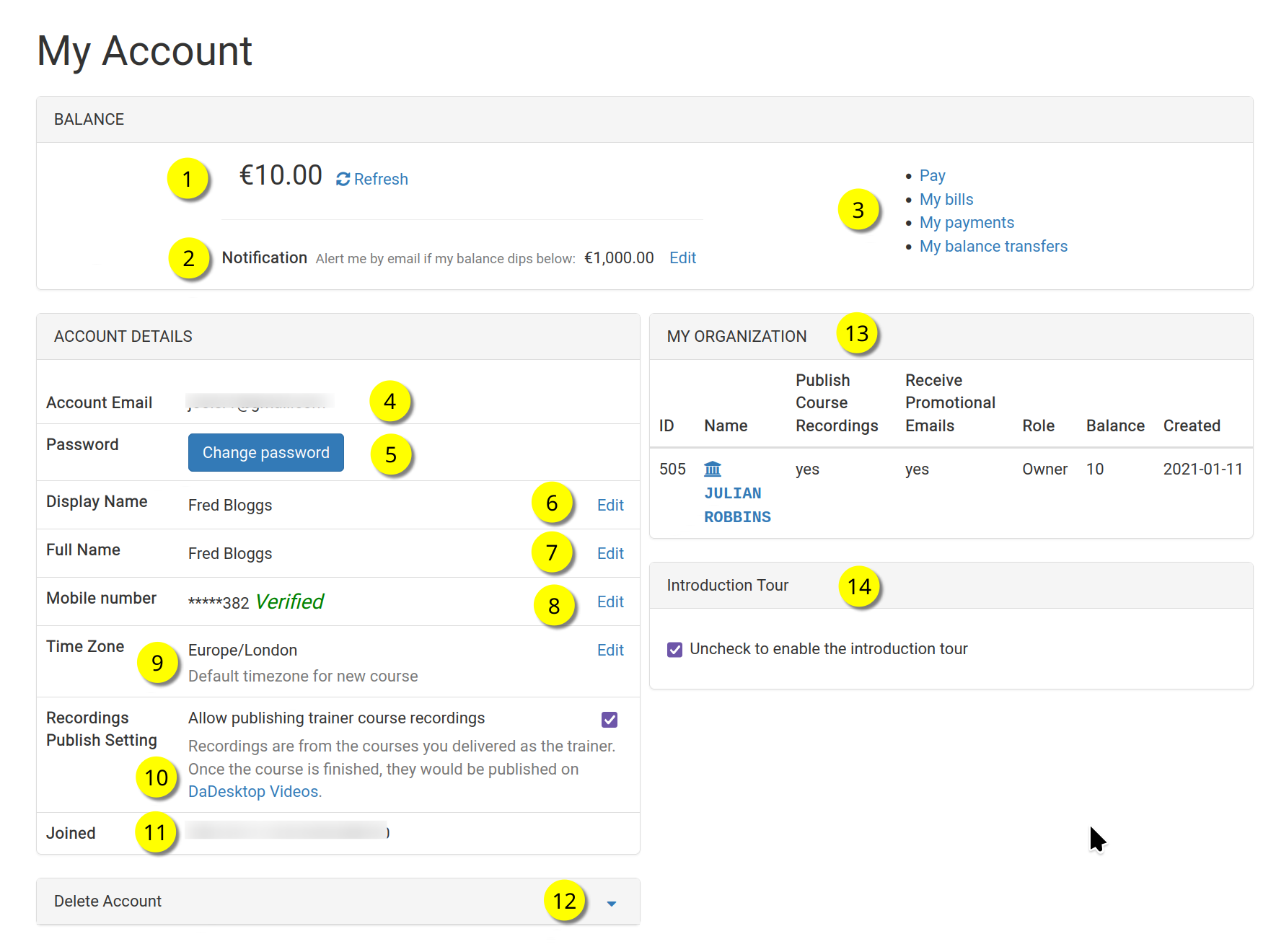
This is the 'My Account' page.
Refer to the numbered items below for a description of each function.
Key
| Description | ||
|---|---|---|
| 1 | Balance | Displays the user's current balance. |
| 2 | Notification | An email alert can be sent whenever the balance falls below a set amount, which each user can define. |
| 3 | Billing Links | This area offers links to Payment, Balance, Previous payments, and Balance transfers. |
| 4 | Account Email | This field cannot be modified. |
| 5 | Password | The password can be updated here. |
| 6 | Display Name | The shown name can be modified whenever needed. |
| 7 | Full Name | The user's full name can be edited as necessary. |
| 8 | Mobile Number | You can update this as needed. |
| 9 | Timezone | This setting ensures that all times appear in the user's local timezone. |
| 10 | Recordings Publishing Setting | For trainers, this option controls whether course recordings from their machine can be published on the dadesktop.com/videos website. |
| 11 | Joined | The date the user registered with DaDesktop. |
| 12 | Delete Account | To permanently delete the account, click here; all associated user data will be erased. |
| 13 | My Organisation | Users can optionally add an Organisation to their account, and details appear here. |
| 14 | Introduction Tour | The onboarding tour can be reactivated by unticking this box; then the tour guide will reappear. |